Online Payment Methods at UITS
Secure, fast, and convenient payment options for Admission and Tuition fees.
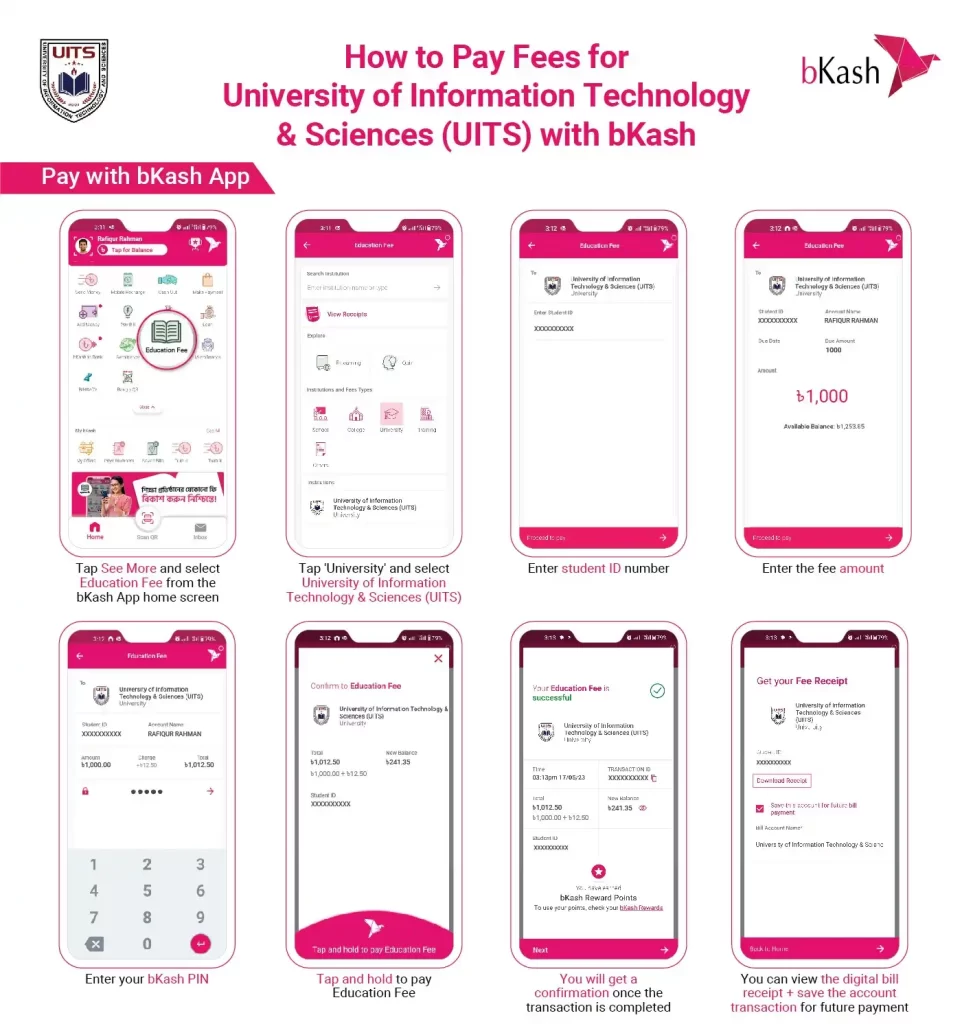
Method 1: bKash Payment (via App)
Use the "Pay Bill" or "Education" option in your bKash App to pay fees directly. Select UITS from the merchant list.
Method 2: Make Online Payment at UITS (3 Simple Steps)
Login to UCAM
Go to UITS UCAM portal and log in with your Student ID.

Select Payment
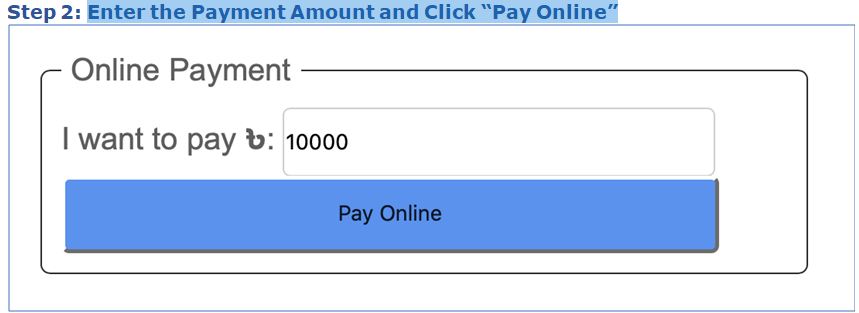
Navigate to the Bill/Payment section and enter the amount (e.g., Tk. 10,000).
Confirm & Pay
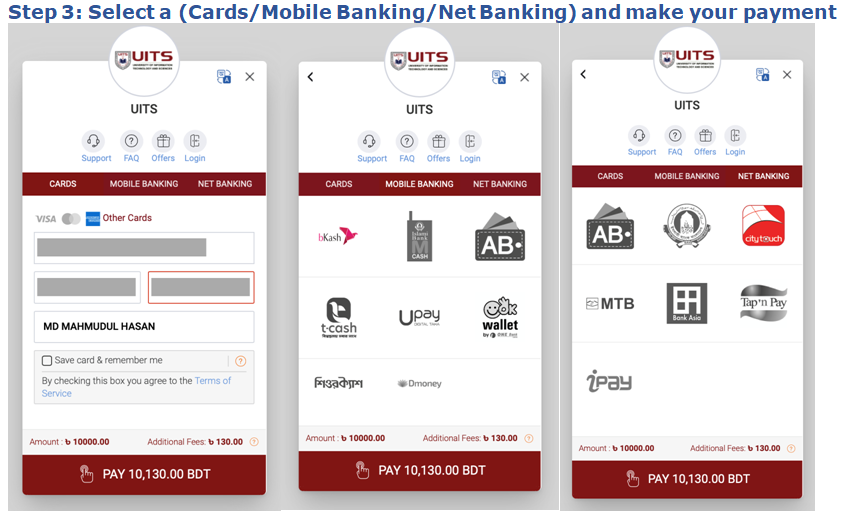
Choose Gateway (SSL/bKash), review total with fees, and complete transaction.
Transaction Fees
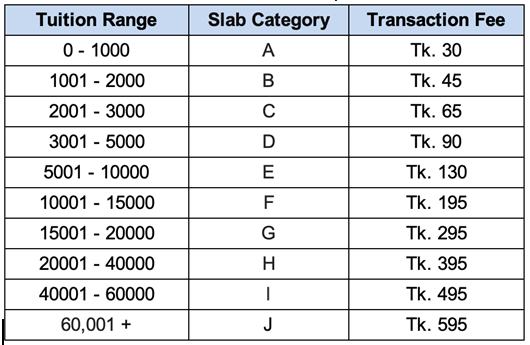
You need to pay an additional Transaction Fee along with your Tuition fee.
| Payment Method | Type | Fee Structure |
|---|---|---|
| bKash | Mobile Wallet | 1.3% (Approx) |
| SSL Commerz | VISA / MasterCard | Variable (Approx 1.5% - 2.5%) |
Fee Calculation Example
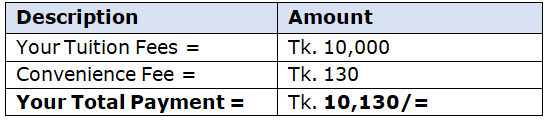
Suppose you want to make a payment of Tk. 10,000. Enter Tk. 10,000 in Step 2 and Click Pay Online.
According to the Table, your total payment will be Tk. 10,130 in the following Steps as follows:
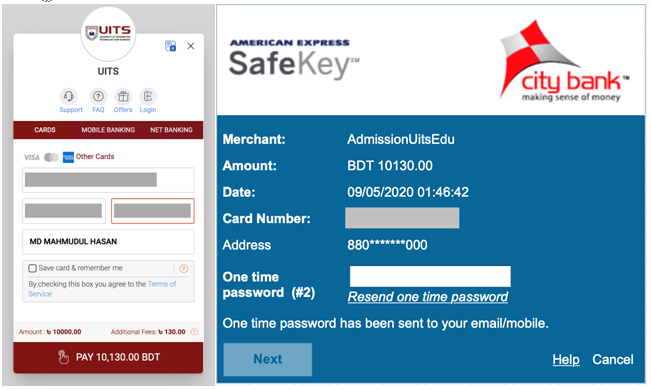
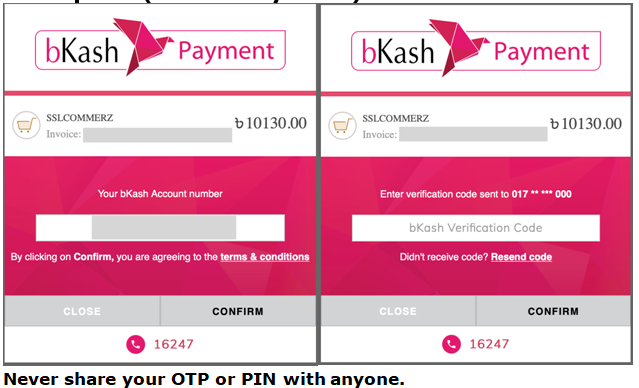
Your should get a confirmation of your payment
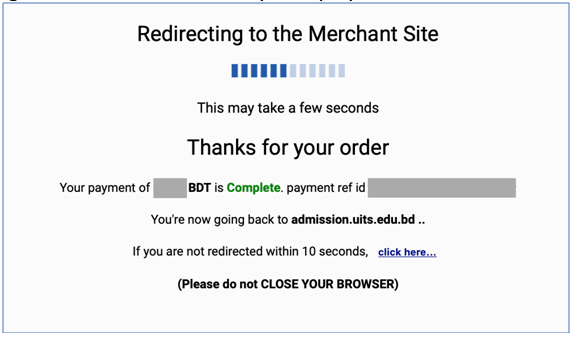
Go to UCAM > Bill > Report > “Student Bill & Payment History” to check your status.
Internet Banking Safety Tips
- Do not share your banking passwords or store them in your mobile handset.
- Do not share sensitive financial details on call (PIN, Debit/Credit Card, CVV, Expiry, OTP).
- Do not allow a stranger to guide you to install a mobile app or change mobile settings.
- Do not share private details such as mobile number, address, DOB on social forums.